B2B SaaS
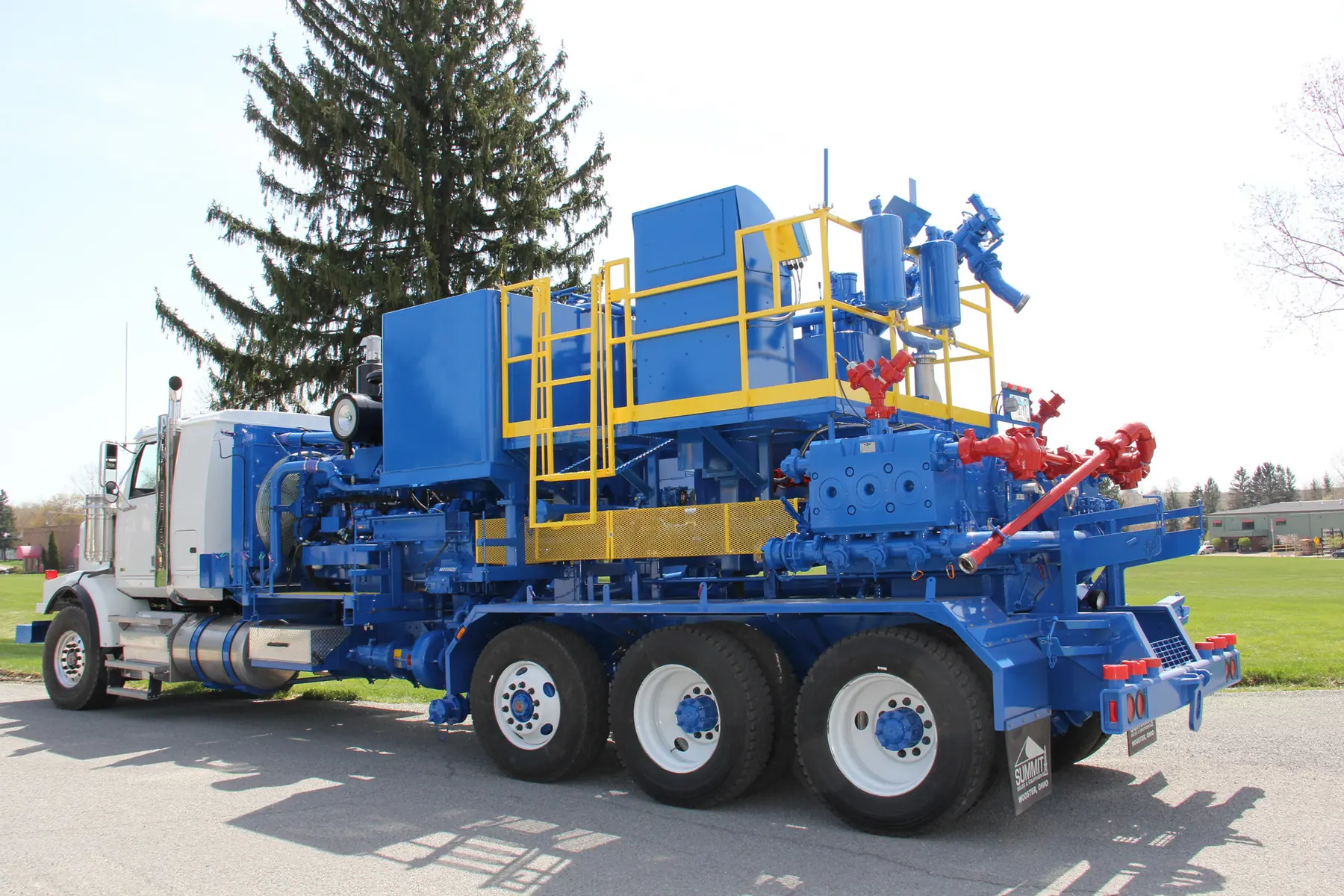
Evergreen Resources is a global technology pioneer providing digital solutions to the oil & gas, renewables, and heavy infrastructure industries. Despite their external innovation, internal operations were hindered by siloed, legacy systems across 80 countries. I led the digital transformation to consolidate complex field operations including drilling, asset management, and maintenance into a unified, real-time interface for their 64,000+ global employees.

Defining the problem space and opportunity for innovation
OMTech Move iT is a mission-critical mobile application designed for field technicians to manage the physical mobilization of high-value industrial assets. The application serves as the primary tool for tracking assets as they move through various logistics stages, ensuring data integrity from the field to the central database.
The legacy Move iT application suffered from architectural fragility, requiring constant connectivity that forced field workers in remote zones to revert to error-prone paper logs. This was exacerbated by manual data entry bottlenecks and a fragmented user logic, resulting in disjointed workflows that severely hindered mobilization velocity and data accuracy.
The primary objective was to overhaul the legacy experience into a cohesive, guided journey that minimizes cognitive load for field technicians. By implementing an offline-first architecture and real-time QR scanning, we aimed to boost data integrity and scale system capacity to handle more daily transactions.
The project modernized the OMTech Move iT ecosystem to bridge the gap between office planning and rugged field execution. By creating a universal, "offline-ready" workflow, we eliminated the operational "black hole" during asset transit, ensuring every movement is digitally captured in real-time regardless of network availability.
Transformed the aging application into a modern, native mobile-first experience optimized for industrial field environments.
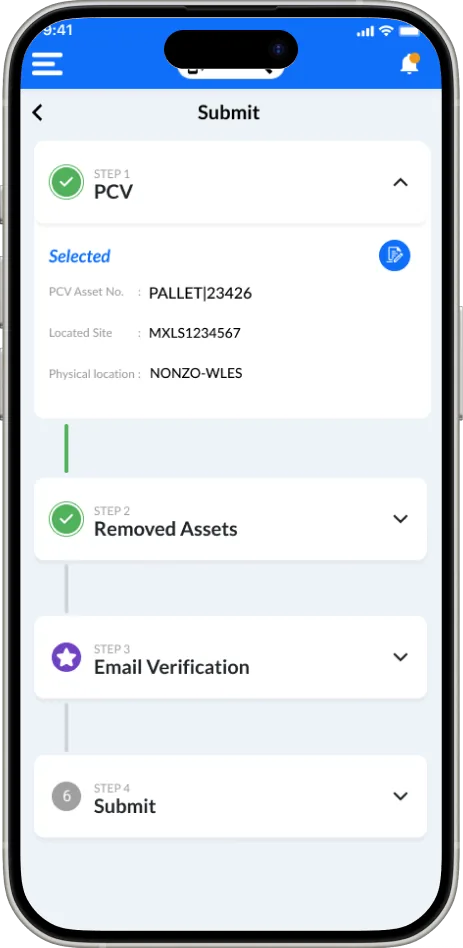
Refined the end-to-end user journey for asset movement to eliminate logic gaps and reduce cognitive load.
Engineered a resilient system capable of seamless performance in both high-connectivity zones and offline remote locations.
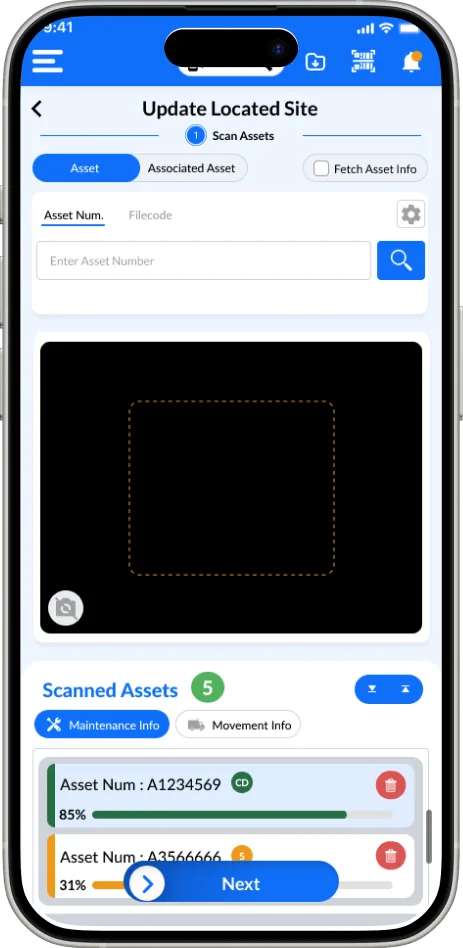
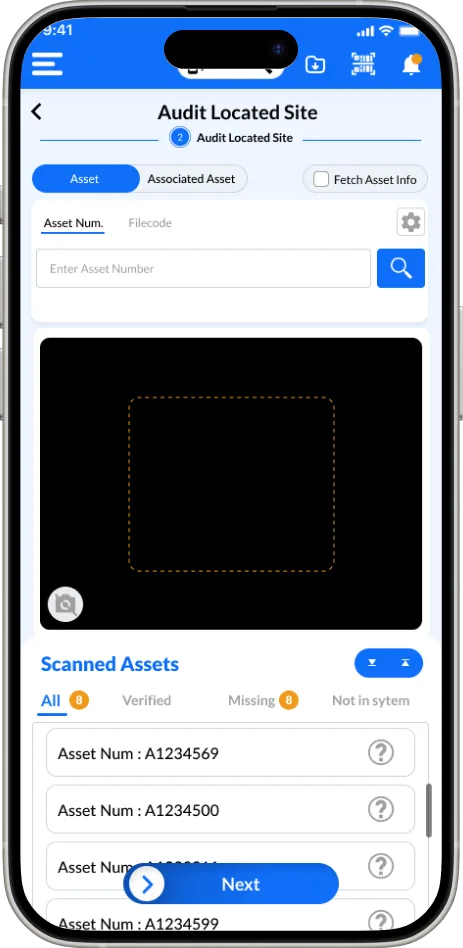
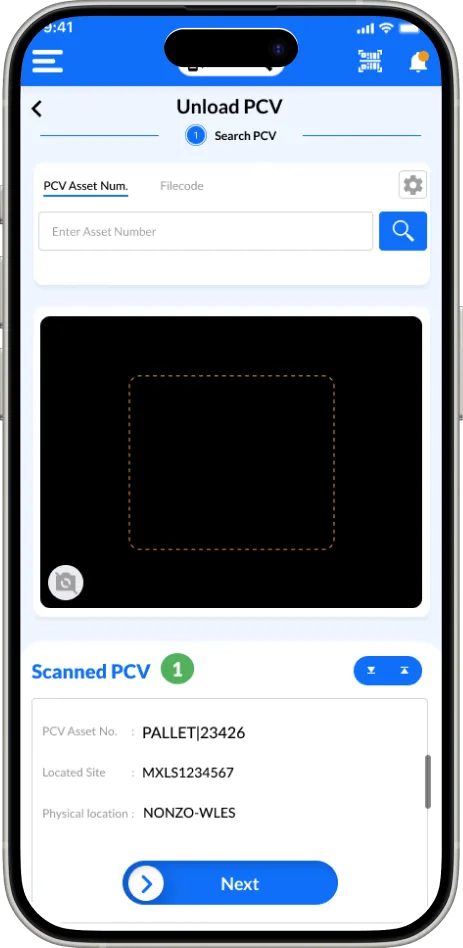
Implemented a real-time QR scanning module to replace manual data entry for field technicians during asset audits.
Collaborated cross-functionally to deliver scalable, production-ready designs.
Built a scalable, robust design system to ensure long-term consistency and efficient future development across the ecosystem.
Deep insights gathered through multiple research methodologies
The existing app suffered from a high degree of "operational friction," where the digital tool acted as a barrier rather than an enabler for field technicians. Research findings revealed that users were forced to navigate a disjointed architecture where core tasks, such as Update Located Site and Audit PCV, felt like isolated silos rather than a continuous journey. The lack of a cohesive user flow, combined with the absence of real-time validation and offline stability, led to significant cognitive load and a total reliance on manual workarounds. Ultimately, the UX failed to account for the environmental realities of field work, necessitating a complete overhaul of the navigation logic and the implementation of automated, resilient features to restore user trust and efficiency.
The legacy app lacked an offline database, rendering it unusable in remote field locations and forcing technicians to revert to manual paper logging.
Workers were required to manually type long, complex asset IDs, which caused significant delays and a high frequency of data entry errors.
Disjointed navigation between site updates and asset audits created high cognitive load and a confusing experience for users in high-pressure environments.
Understanding our target users through detailed persona development

38 • Senior Field Technician (Well Construction)
Bridging Logic and Simplicity
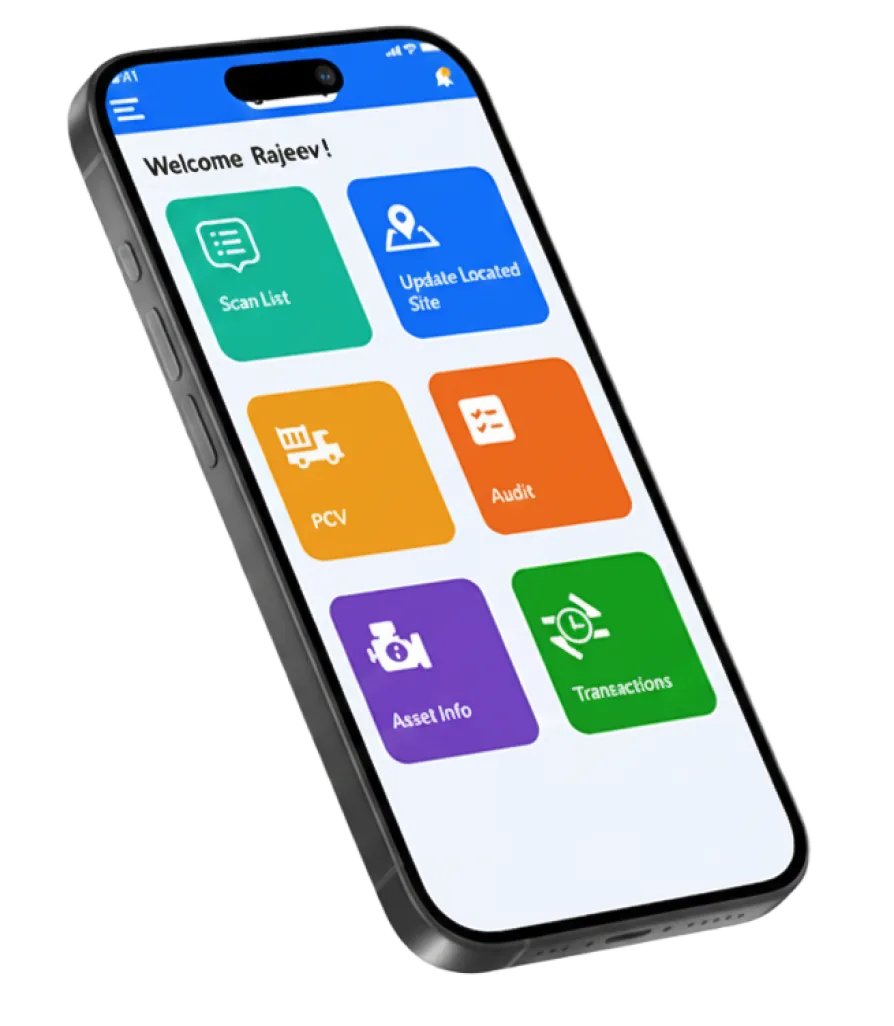
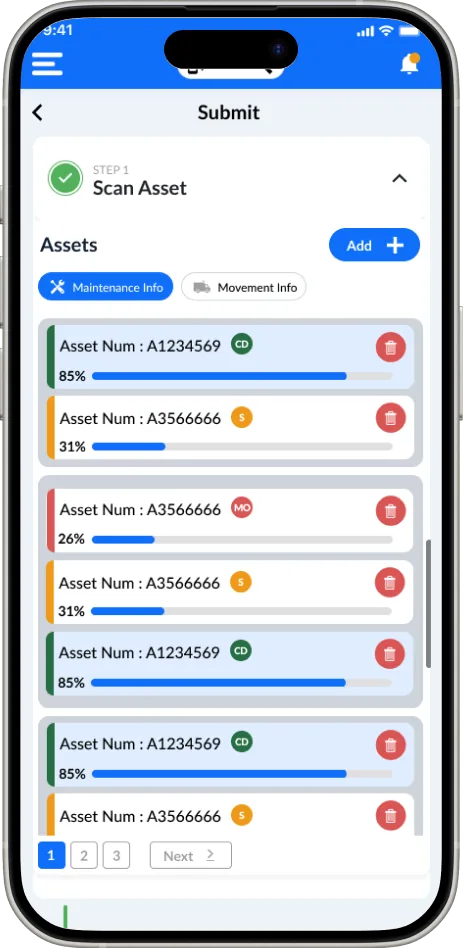
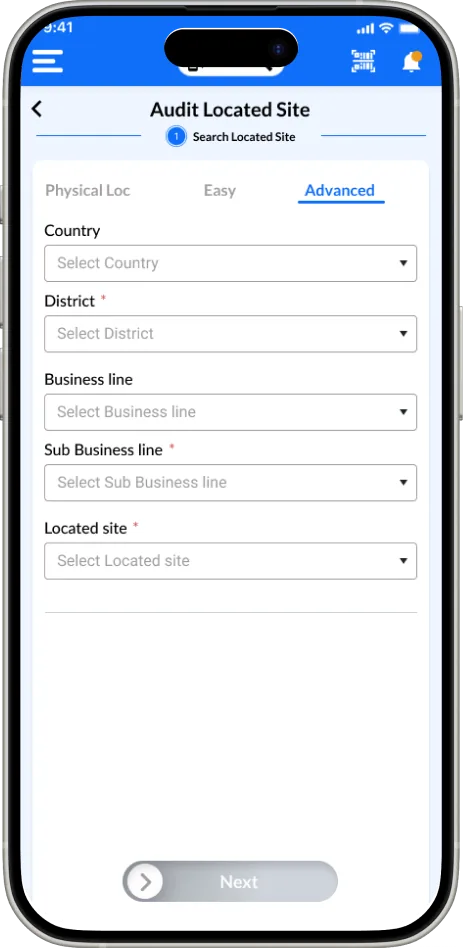
For the high-fidelity redesign, I adopted a "Modern yet Simple" UI philosophy to ensure the application remains accessible to a diverse workforce. Understanding that many field technicians may be non-native English speakers, I prioritized a highly visual, icon-driven interface. By utilizing a grid of distinct, high-contrast color blocks paired with universally recognizable symbols such as a truck for "PCV" or a location pin for "Site Updates" I reduced the cognitive load and reliance on text-heavy navigation.
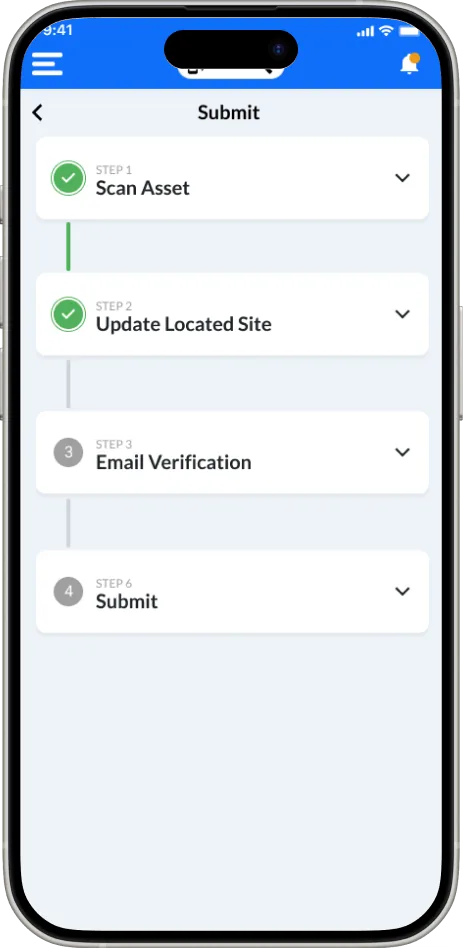
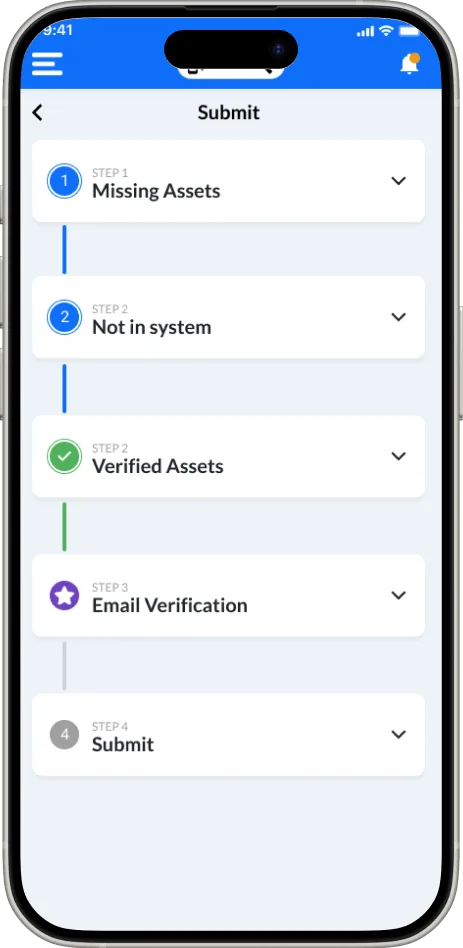
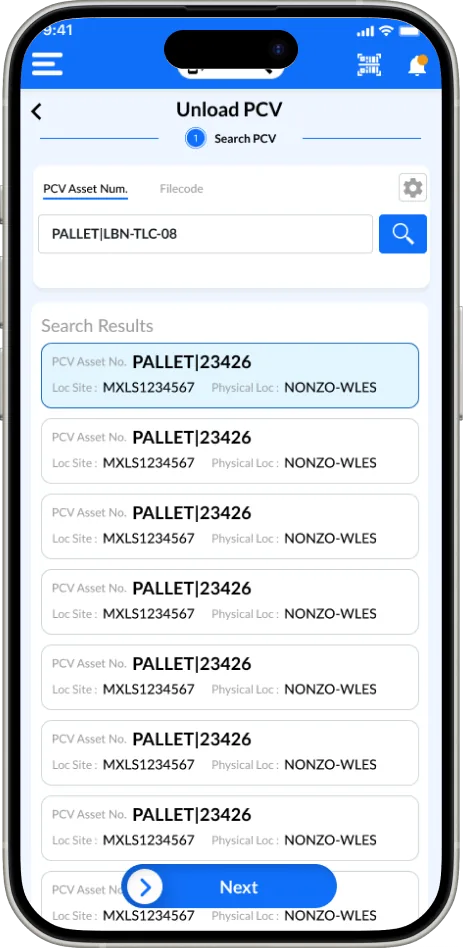
The interface is engineered to eliminate the friction found in the legacy system by presenting only the most critical actions on the home screen. Large, touch-friendly touchpoints are designed for rugged field use, accommodating users who may be wearing gloves or working in high-glare outdoor environments. This streamlined approach ensures that whether a user is performing a real-time QR scan or an offline audit, the path to completion is clear, linear, and language-agnostic, ultimately fostering a faster and more inclusive mobilization process.
Quantifiable improvements demonstrating the value of user-centered design
The redesign focuses on a "Modern yet Simple" interface specifically engineered for the high-stakes environment of field technicians. By utilizing a high-contrast color palette and a clean, tile-based grid, the UI ensures maximum legibility in outdoor, high-glare conditions. I prioritized a minimalist aesthetic that reduces visual noise, allowing users to focus entirely on their primary task—whether that is a quick asset scan or a comprehensive site audit without distraction from unnecessary elements.
Insights and takeaways from the design process
Prioritizing offline-first functionality is non-negotiable for industrial tools to prevent data loss in remote environments.
Using high-contrast icons and color-coding effectively bridges language barriers and reduces cognitive load for global teams.
Replacing manual data entry with real-time QR scanning is the single most effective way to ensure data integrity and user adoption.